
vFairs
vFairsEvents
3.714.00 Reviews
- Version
- 41.9.0
- Installs
- 100.00K
- Age Rating
- Everyone
Screenshots
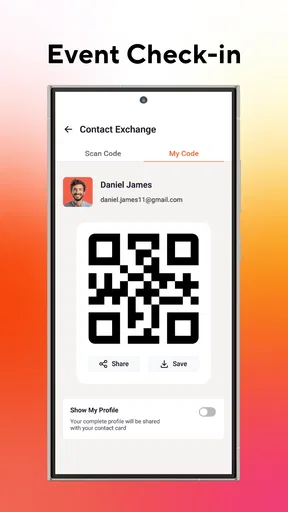
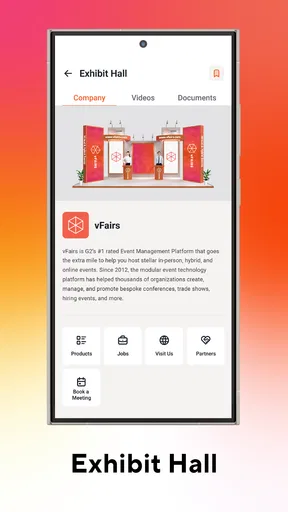
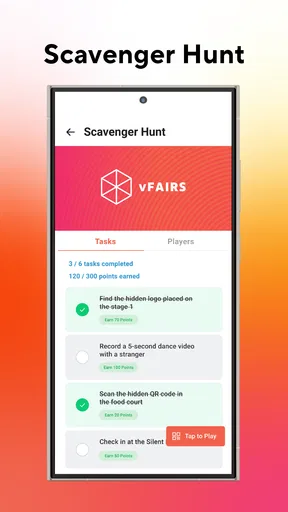
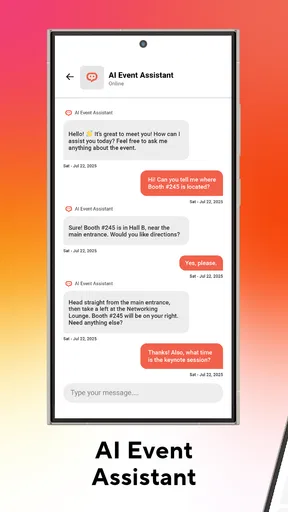
Our Review of vFairs
 Analysis by Appyee
I approach event apps with a little caution because they often sit between a busy schedule, personal details, networking, and live updates. vFairs is designed by vFairs as an events app for virtual, hybrid, and in-person gatherings, and my experience with it is best understood as a practical event companion rather than a general-purpose social network. It can bring the important parts of an event into one mobile space, but its value depends heavily on how well the organizer has prepared the specific event.
The app is free to download and is suitable for everyone. It has passed the point where it feels experimental, having been released in October 2021, and the current version is 41.9.0. Its Android listing shows over one hundred thousand installs, with an average rating of 3.7 from roughly one hundred eighty ratings. That combination tells me there is a real audience using it, while also suggesting that the experience may vary considerably from one event to another.
What the app feels like when an event is your main screen
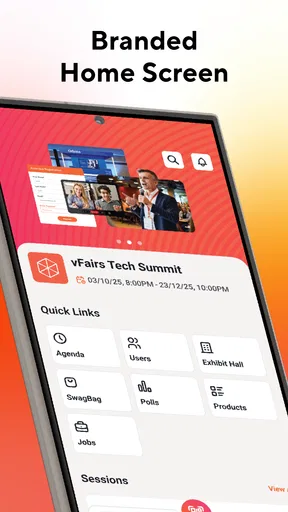
The most useful way to think about vFairs is as a temporary control panel for an event. Instead of switching between an event website, email instructions, video software, a calendar, and separate networking tools, you use one event-focused app as the place to check what is happening and decide where to go next. That is especially helpful when an event includes both online and physical sessions.
For a virtual conference, the app can be the starting point for moving between scheduled content and event areas. For a hybrid event, it has a more interesting job: it can help connect the people attending in person with those joining remotely. In practice, that means I would use it before the event to understand the schedule, during breaks to decide which session or conversation deserves my attention, and afterward to revisit useful event information that I may have missed in the rush.
There is an important distinction here. vFairs is not something I would open every day without an event attached to it. The organizer’s event setup determines much of what appears, how complete the information feels, and whether the app becomes genuinely useful or merely another place to check announcements. If you are evaluating it for a particular conference, exhibition, career fair, or similar gathering, judge the event experience rather than the app in isolation.
Why the all-in-one approach can save time
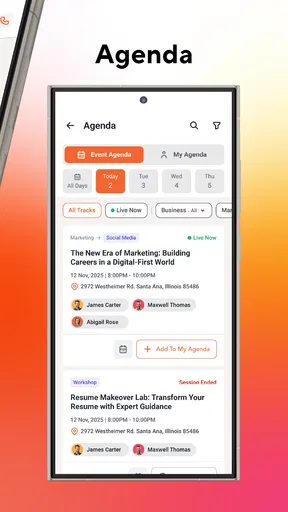
At a large event, small delays add up. I may need to check the next session, find a speaker or exhibitor, remember a meeting time, and move between online and physical participation. A single event workspace reduces the mental load because I do not have to remember which service contains which piece of information.
The strongest use case is a day with competing priorities. Imagine joining a professional event from home while also handling normal work. I could use the event app to identify the session most relevant to me, keep the event schedule close at hand, and use breaks for targeted conversations instead of browsing aimlessly. The benefit is not flashy; it is the reduction of repeated searching.
There is also a useful planning habit that is easy to overlook: I would review the event space before the opening session, not wait until the first live moment. That gives me time to notice whether the schedule is presented clearly, whether the event requires a separate sign-in step, and whether the information I need is easy to locate. If the app feels confusing before the event begins, the pressure of a live schedule will make that friction more noticeable.
Where it differs from ordinary event alternatives
The usual alternative is a mixture of a mobile website, calendar invitations, email, and perhaps a video meeting app. That mixture can work well for a small meeting, especially when everyone already knows the host and the schedule is simple. vFairs makes more sense when an event has several layers: sessions, attendees, exhibitors, announcements, or a combination of physical and remote participation.
A generic calendar is still better for protecting my personal time because it shows the event alongside everything else in my day. A normal messaging app may also be better for a private group that already has an established conversation. I would not replace those tools completely. Instead, I see vFairs as the event-specific layer, while my calendar remains the place where I manage the rest of my life.
That trade-off matters. An all-in-one event app can be more convenient than scattered tools, but it can also feel heavier than necessary for a short meeting or a small gathering. If an organizer only needs to send a time and a video link, a simple calendar invitation may be clearer and faster.
Trust, controls, and the moments when privacy matters most
My trust in an event app does not come from the word “all-in-one.” It comes from being able to understand what I am doing, what information I am sharing, and whether I can make sensible choices. With vFairs, I would pay close attention to the sign-in flow and the event’s own instructions before entering personal information. The app may be free, but free access does not remove the need to think about account details or event participation.
The first privacy-sensitive moment is registration. Before completing it, I would read each field rather than filling everything automatically. An event may ask for information needed to identify attendees, organize access, or support networking, but I prefer to provide only what is relevant to the event. If a field is optional, leaving it blank can be a reasonable form of control.
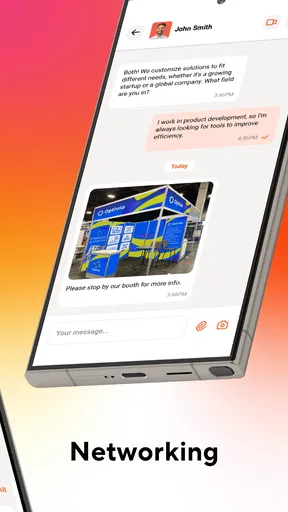
The second sensitive moment is networking. Event platforms are built to help people discover and contact one another, which is useful for professional introductions but can make visibility feel broader than expected. I would check how my profile appears, whether contact details are displayed, and whether a conversation can remain inside the event environment instead of immediately exposing my personal email or phone number.
My practical rule is simple: treat every profile field and networking action as a deliberate choice, not as a harmless formality. That does not mean avoiding the app. It means deciding in advance what I want to be discoverable and what I would rather keep private.
Account control is part of the experience
When I use vFairs for a single event, I want to know which account is connected to that event and what happens when the event ends. I would keep the login details secure, avoid sharing access with another attendee, and sign out on a shared device. Those are ordinary precautions, but event apps are often used in crowded venues where people may borrow chargers, tablets, or phones.
I would also check the app’s visible account settings instead of assuming that deleting the app removes every event relationship. Removing an app from a phone and managing an account are not always the same action. If I no longer need the event, I would look for the available profile, sign-out, and account-management choices and follow the organizer’s instructions for any event-specific request.
This is one area where the quality of the experience depends on clear communication. A good event workflow should make it obvious whether I am joining an event, changing my profile, or leaving the event space. If those actions are difficult to find, I would be more cautious about adding unnecessary personal information.
Permissions and visible choices deserve attention
I would review the permissions requested by the app when they appear and ask whether each one makes sense for the way I plan to participate. For example, a permission related to a specific event function may be reasonable when I actively want that function, while it may be unnecessary if I only need basic schedule information. I prefer granting access at the moment it becomes useful rather than approving everything during setup.
On Android, I would revisit permissions through the phone’s app settings after installation. This gives me a second chance to adjust choices if my needs change. If a feature stops working after I restrict something, I can decide whether that feature is worth restoring access for. That is more useful than treating permissions as a one-time decision.
I also avoid assuming that a visible button means I must use it. Networking, notifications, profile completion, and event updates can each be valuable, but I should be able to choose the parts that fit my purpose. If I am attending only one session, I may not need every social or discovery feature enabled.
Notifications can help or become noise
Event notifications are useful when a schedule changes or when I need a timely reminder. They are less helpful when they interrupt work, travel, or a presentation with information I do not need. I would enable notifications before the event if I expect schedule changes, then review the phone’s notification controls once I understand the event’s rhythm.
A good approach is to keep alerts available during the active event and reduce them afterward. That preserves the practical value of timely updates without allowing a finished event to remain a constant source of interruptions. If the app’s notifications are too broad for my needs, I would use the operating system controls rather than simply accepting all alerts.
Data-sensitive situations I would handle carefully
Professional events can involve more than a name and an email address. People may discuss employers, job searches, research, business plans, or contact information. I would avoid placing sensitive documents or confidential details into an event profile unless I clearly understand why they are needed and who can see them.
I would also be careful with public networking in a crowded event. A short professional introduction is usually enough to begin a conversation. I would not treat an event directory as a reason to publish personal information that I would not normally share with strangers. If someone wants to continue the conversation, I can choose a separate channel later.
For a career fair, this caution is especially relevant. I might want recruiters to know my professional interests, but I would still separate that from private contact details or unrelated personal information. For an exhibition, I might be comfortable identifying the products or topics I want to discuss while keeping my broader profile limited. The app is most useful when I shape it around my purpose instead of completing every possible field.
Real strengths, real friction
The main strength I noticed is concentration. vFairs gives an event a dedicated place, which is valuable when the organizer has built a detailed program and attendees need to move between different parts of it. The hybrid angle is also meaningful because it acknowledges that not everyone participates from the same location.
The main weakness is dependence on event preparation. If the schedule is incomplete, instructions are unclear, or the organizer does not keep information current, the app cannot solve that by itself. I may still need email or a browser to clarify practical details. That is not necessarily a defect in the software, but it is a limitation I would consider before relying on it as my only source of information.
Another possible friction is the learning curve created by having many event functions in one place. A first-time attendee may need a few minutes to understand where to find the schedule, how to update a profile, and which areas matter. I would rather spend that time before the event than during a live session. The app rewards preparation more than improvisation.
The rating of 3.7 suggests a mixed but usable reception rather than universal satisfaction. I would read that as a reason to test the event experience early, not as an automatic warning. Since the app has around one hundred eighty ratings and more than one hundred thousand installs, it has enough adoption to be familiar to many attendees, but those numbers do not guarantee that every organizer’s setup will be equally polished.
Who should use it, and who should choose something simpler
I would recommend vFairs to someone attending a multi-session conference, a career event, an exhibition, or a hybrid gathering where information is spread across several parts of the day. It is particularly suitable for people who want one event-focused place to plan participation and discover relevant conversations without assembling their own system from separate tools.
I would be more hesitant to recommend it for a tiny appointment, a casual meetup, or an event whose only requirement is a video call. In those cases, a calendar entry and a familiar meeting service may create less friction. I would also be cautious if I needed strict control over personal data but could not understand the event’s profile and visibility choices. The right response would be to limit what I share and ask the organizer for clarification before joining, rather than assuming the app is automatically unsuitable.
For families or less technical attendees, the Everyone age rating is reassuring in terms of the intended audience, but ease of use still depends on the event design. I would help a first-time user sign in ahead of time, identify the schedule, and adjust notifications before the event begins. That small preparation step can prevent confusion later.
My verdict after weighing convenience against control
vFairs is a sensible choice when an event genuinely needs a dedicated mobile hub. I like the way it can bring virtual, hybrid, and in-person participation into one event-centered experience, and I can see the value during a busy day when scattered links and messages would otherwise compete for attention.
My recommendation comes with conditions. I would install it for a substantial event, review the account and permission choices, keep my profile deliberately limited, and use notifications selectively. I would also retain the organizer’s email or another backup source for essential practical information, because an app should support event planning rather than become the only thing I trust in a time-sensitive situation.
In short, vFairs works best when I use it intentionally: prepare before the event, share only what serves my goal, and adjust access as my participation changes. It is free, available for Android devices running version 9 or later, and developed by vFairs, but the real test is the event attached to it. For a complex gathering, I would give it a try. For a simple meeting, I would choose the lighter tool.
Verdict
Strengths of vFairs
- Smooth virtual event navigation with clear session and exhibitor sections.
- Live chat and Q&A tools make it easy to connect with attendees and speakers.
- Supports networking through private messages, profiles, and scheduled meetings.
- Event content can remain available on demand after live sessions end.
- Useful notifications help users keep track of sessions and event activities.
Limitations of vFairs
- Experience depends heavily on the quality and setup of each individual event.
- Some features may be unavailable unless enabled by the event organizer.
- Large events can feel crowded and make relevant exhibitors harder to discover.
- Video quality and playback stability may vary with connection speed.
- Requires account or event access details, which can slow down first-time use.
Similar Picks in This Category
View All
Easy Quran Mp3 Audio Offline
Muslim Worldapp4.7

Invitation Maker: Cards & RSVP
Greetings Island4.9

StubHub - Live Event Tickets
StubHub4.3

Fever: Events & Tickets
Fever Labs4.7

Epic Freebie Games Radar
Arioch Pds - Apps & Games4.4

Invitation card Maker, Design
Splendid App Maker4.9
Frequently Asked Questions
What is vFairs used for?
vFairs is a virtual and hybrid events platform designed for conferences, trade shows, career fairs, webinars, and networking sessions. Attendees can use it to browse event schedules, watch live or recorded sessions, visit exhibitor booths, download shared materials, chat with representatives, and connect with other participants without needing to travel to a physical venue.
Do I need an account to use vFairs?
In most cases, you need to register for the specific event before accessing its content. Some events may allow limited guest access, while others require an email address, invitation, ticket, or approval from the organizer. After registration, you may receive a link or login details. Requirements can vary depending on how the event host configured the platform.
Is vFairs free to download and use?
The vFairs application itself may be available at no direct cost, but access to an event depends on the organizer. Many virtual career fairs, conferences, and public webinars are free for attendees, while other events require registration fees, membership, or an invitation. Check the event’s official information before downloading or registering.
What features does vFairs offer for attendees?
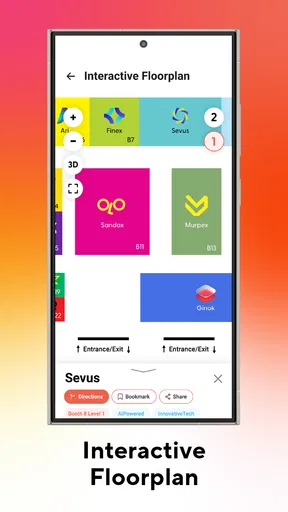
Depending on the event, vFairs can provide live presentations, on-demand videos, exhibitor profiles, virtual booths, downloadable brochures, private or group chat, meeting scheduling, job listings, polls, notifications, and networking tools. Available features are not identical for every event, so the experience depends largely on the organizer’s chosen package and event settings.
Does vFairs work on both Android and iOS devices?
vFairs is designed to support access across common devices, including Android and iOS smartphones and tablets, although the exact experience may differ between the mobile app and a web browser. For the best results, use an updated operating system, a stable internet connection, and the latest version of the app when attending live sessions or video-heavy events.
